
Upgrading to 10GbE Networking: Is It Worth It for Your Home Lab?
Gigabit Ethernet has been the standard for home networks since the mid-2000s. For most people, 1 Gbps is plenty — web browsing, streaming, and even gaming barely dent it. But home labs are different. Once you're moving VM images between hosts, backing up terabytes to a NAS, or running iSCSI storage, that 1 Gbps link starts to feel like a bottleneck.
Photo by Alan Johnson on Unsplash
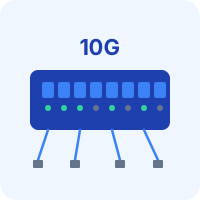
10 Gigabit Ethernet (10GbE) offers ten times the bandwidth: roughly 1.1 GB/s of actual throughput compared to ~110 MB/s on gigabit. The question isn't whether it's faster — it obviously is. The question is whether the cost and complexity are worth it for your specific setup.
When 10GbE Actually Matters
Not every home lab needs 10GbE. Here's where the upgrade delivers real, noticeable benefits:
Large File Transfers
Moving a 50 GB VM disk image over gigabit takes about 7-8 minutes. Over 10GbE with fast storage on both ends, it takes under a minute. If you're frequently migrating VMs, restoring backups, or moving large datasets, the time savings add up quickly.
NAS Performance
If your NAS has multiple drives in a RAID or ZFS pool, the storage is almost certainly faster than a single gigabit link can deliver. A 4-drive RAIDZ1 pool can easily push 400-500 MB/s sequential reads. On gigabit, you're capped at 110 MB/s regardless. 10GbE lets the NAS actually breathe.
iSCSI and NFS Storage
Running VMs off network storage (iSCSI or NFS) over gigabit works, but it feels sluggish compared to local storage. 10GbE makes network-attached storage perform like local disks for most workloads, which is a game-changer for Proxmox clusters or ESXi setups with shared storage.
Backup Speed
Backing up 2 TB of data over gigabit takes roughly 5 hours. Over 10GbE, it takes about 30 minutes (assuming the storage can keep up). For nightly backup windows, this difference matters.
When It Doesn't Matter
- Your lab is a single server running Docker containers. The traffic between containers stays local.
- You're mainly accessing services via web browsers. Web UIs use kilobytes of bandwidth.
- Your storage is a single HDD. Even 10GbE can't make a 5400 RPM drive faster.
- You're doing this to learn networking fundamentals. Gigabit is fine for learning VLANs, firewalls, and routing.
Hardware Options and Costs
The 10GbE ecosystem has gotten dramatically cheaper over the past few years. Here's what you need.
Network Interface Cards (NICs)
Used 10GbE NICs are absurdly cheap on eBay because data centers constantly refresh their hardware.
| NIC | Connector | Typical eBay Price | Notes |
|---|---|---|---|
| Mellanox ConnectX-3 | SFP+ | $15-25 | The classic home lab 10GbE NIC. Rock solid. |
| Intel X520-DA2 | SFP+ (dual port) | $20-30 | Dual port. Excellent driver support everywhere. |
| Intel X540-T2 | RJ45 (dual port) | $30-50 | Use regular Cat6a cables. Higher power draw. |
| Mellanox ConnectX-4 | SFP+ or SFP28 | $30-50 | Newer, supports 25GbE too. |
| Intel X710-DA2 | SFP+ (dual port) | $25-40 | Newer generation, good for Proxmox/ESXi. |
SFP+ vs RJ45: SFP+ NICs use small pluggable transceivers and either fiber or DAC (Direct Attach Copper) cables. RJ45 NICs use regular Ethernet cables but cost more, run hotter, and consume more power. For short runs (under 5 meters), SFP+ with DAC cables is the cheapest and simplest option.
Switches
This is where the real cost lives. You have three tiers:
Unmanaged 10GbE switches (cheapest, simplest):
- MikroTik CRS305-1G-4S+IN: 4x SFP+ ports + 1x 1GbE. ~$130 new. Tiny, fanless, low power. The go-to entry-level 10GbE switch for home labs.
- MikroTik CRS310-1G-5S+4S+IN: 5x SFP+ and 4x SFP+. ~$200 new. If you need more ports.
Managed 10GbE switches (VLAN support, more control):
- MikroTik CRS309-1G-8S+IN: 8x SFP+ + 1x 1GbE. ~$260 new. Full L2/L3 management via RouterOS.
- Used Ubiquiti USW-Aggregation: 8x SFP+. $150-200 used. Managed via UniFi controller.
Used enterprise switches (cheap but loud):
- Brocade ICX 6610: 48x 1GbE + 8x SFP+. $50-100 on eBay. Loud fans, high power draw, but extremely capable.
- Aruba/HP 5406R: Modular chassis, can be configured with 10GbE modules. Cheap used, but large and noisy.
For most home labs, the MikroTik CRS305 is the sweet spot. Four 10GbE ports for $130, fanless, silent, and it just works.
Cables and Transceivers
DAC cables (Direct Attach Copper): The simplest option for short runs. A 1-meter SFP+ DAC cable is $8-12 on Amazon. Works up to 5-7 meters depending on quality. No transceivers needed — the cable plugs directly into the SFP+ ports.
SFP+ transceivers + fiber: For longer runs or between rooms. Generic 10GbE SFP+ transceivers are $8-15 each. OM3/OM4 multimode fiber patch cables are $5-10 for reasonable lengths. You need two transceivers and one cable per link.
Cat6a cables: If you went with RJ45 NICs, use Cat6a. Regular Cat6 can technically do 10GbE up to 55 meters, but Cat6a is rated for the full 100 meters. Cat5e won't work for 10GbE at any distance.
Total Cost: Realistic Scenarios
Scenario 1: Two servers direct-connected (cheapest)
- 2x Mellanox ConnectX-3 SFP+ NIC: $30
- 1x 1m DAC cable: $10
- Total: $40
No switch needed. Just connect the two NICs directly. Perfect if you just want fast transfers between a server and a NAS.
Scenario 2: Three devices through a switch
- 3x Mellanox ConnectX-3: $45
- 1x MikroTik CRS305: $130
- 3x 1m DAC cables: $30
- Total: ~$205
Scenario 3: Full lab upgrade (4+ devices, managed)
- 4x Intel X520-DA2: $100
- 1x MikroTik CRS309 (8-port managed): $260
- 4x 2m DAC cables: $50
- Total: ~$410
Setting Up 10GbE
Check Your PCIe Slots
Most 10GbE NICs need a PCIe x8 slot (physically x8 or x16). Check what's available in your servers. Mini PCs and small form factor desktops usually don't have full-height PCIe slots — you may need a low-profile bracket (often included with used NICs) or a Thunderbolt-to-10GbE adapter (expensive, $100+).
Install the NIC
Pop the NIC into a PCIe slot, boot up, and check if it's detected:
# Check if the NIC is detected
lspci | grep -i ethernet

# Check the interface name
ip link show

# You should see something like enp3s0f0 or ens3f0 for the 10GbE NIC
Most popular 10GbE NICs (Mellanox, Intel) have drivers built into the Linux kernel. No driver installation needed. On Proxmox, they just work out of the box.
Configure the Interface
# Quick test — set an IP and check speed
sudo ip addr add 10.0.0.1/24 dev enp3s0f0
sudo ip link set enp3s0f0 up

# Verify link speed
ethtool enp3s0f0 | grep Speed
# Should show: Speed: 10000Mb/s
For permanent configuration on Ubuntu/Debian, add the interface to netplan:
network:
  version: 2
  ethernets:
    enp3s0f0:
      addresses:
        - 10.0.0.1/24
      mtu: 9000
Enable Jumbo Frames
Jumbo frames (MTU 9000) reduce CPU overhead by sending larger packets. Every device in the 10GbE path — NICs, switches, and endpoints — must have the same MTU setting, or you'll get silent performance degradation.
# Set MTU on the interface
sudo ip link set enp3s0f0 mtu 9000

# Verify with ping (test that jumbo frames work end-to-end)
ping -M do -s 8972 10.0.0.2
# If this works, jumbo frames are passing correctly
# (8972 + 28 bytes of headers = 9000 MTU)
On the MikroTik CRS305, enable jumbo frames per port:
/interface ethernet set sfp-sfpplus1 l2mtu=10218
Benchmark Your Connection
# Install iperf3 on both ends
sudo apt install iperf3

# On server A (listener):
iperf3 -s

# On server B (client):
iperf3 -c 10.0.0.1

# Expected result: ~9.3-9.5 Gbps for a healthy 10GbE link
# With jumbo frames: ~9.7-9.9 Gbps
If you're getting significantly less than 9 Gbps, check for MTU mismatches, CPU bottlenecks, or PCIe bandwidth limitations (a x4 slot will cap you at about 3.5 Gbps on PCIe Gen 2).
Want more networking guides? Get guides like this in your inbox — HomeLab Starter delivers one free deep-dive every week.
Common Pitfalls
PCIe bandwidth: A 10GbE NIC in a PCIe Gen 2 x4 slot maxes out at about 16 Gbps — fine for one 10GbE port but tight for dual-port NICs. PCIe Gen 3 x4 or any x8 slot is ideal.
CPU overhead with RJ45: 10GBase-T (RJ45) NICs use more CPU for encoding/decoding than SFP+ NICs. On older low-power CPUs, this can limit throughput. SFP+ is almost always better.
Switch fan noise: Enterprise 10GbE switches are designed for data center racks with ample airflow. Many have tiny, screaming fans. The MikroTik CRS305 is fanless and silent — that's a major reason it's so popular for home labs.
Mixed speeds: Connecting a 1GbE device to a 10GbE switch port works fine — the port auto-negotiates down. But if your workflow involves 10GbE server to 1GbE client, the client is still the bottleneck. 10GbE is only useful when both ends support it.
The Verdict
10GbE is worth it if you regularly move large files between machines, run VMs from network storage, or manage significant backup volumes. The minimum useful investment is about $40 for a point-to-point link between two machines, or $200 for a switched setup with three or more devices.
If your lab is a single server running Docker containers and you access everything through a web browser, save your money. Gigabit is fine. Spend the $200 on more RAM instead.
But if you've ever sat watching a progress bar crawl during a VM migration or backup, 10GbE will feel like a revelation. The used hardware market has made it genuinely affordable, and once you have it, you'll wonder how you lived without it.