Building a Quiet Home Lab: Noise Reduction Guide
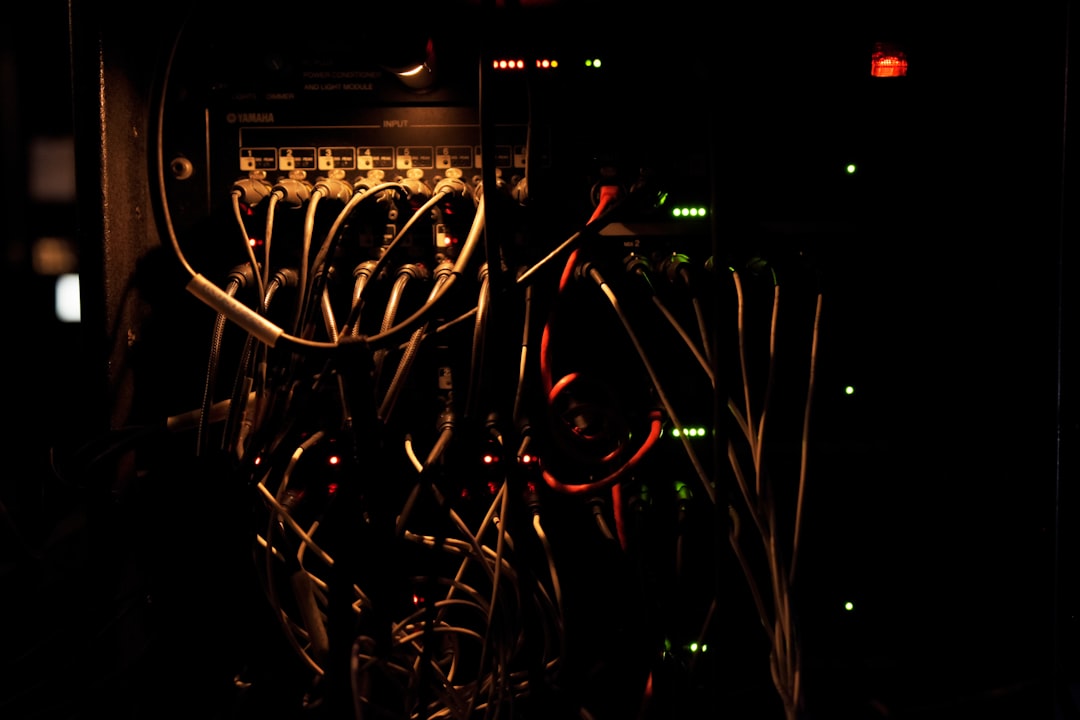
Rack-mounted servers sound like jet engines. That's fine in a data center. In your living room, spare bedroom, or apartment closet, it's a dealbreaker. Noise is the number one reason people abandon homelabs or avoid building them in the first place.
Photo by Liam Briese on Unsplash
The good news: you can build a home lab that's barely audible from three feet away, even under load. It takes some intentional hardware choices, fan swaps, and sometimes creative case selection — but it's absolutely doable without sacrificing meaningful performance.
Understanding Noise: What the Numbers Mean
Fan noise is measured in decibels (dB or dBA). Here's a rough reference scale:
| dBA | Sounds Like |
|---|---|
| 20 | Quiet room, ticking clock |
| 30 | Whisper, very quiet library |
| 35 | Quiet office |
| 40 | Normal conversation at 10 feet |
| 45 | Average office |
| 50+ | Noticeable background noise |
| 60+ | Loud enough to be annoying |
| 70+ | Vacuum cleaner territory |
A 1U rack server typically runs at 50-70 dBA. A well-built quiet homelab can run at 25-30 dBA — which means you genuinely can't hear it over normal room ambient noise.
Decibels are logarithmic: a 10 dB increase means roughly double the perceived loudness. Going from 40 dBA to 30 dBA is a dramatic improvement.
Measuring Your Noise
Before you start optimizing, measure what you have. Your phone works for rough measurements:
- iOS: Download "NIOSH Sound Level Meter" (free, developed by NIOSH, surprisingly accurate)
- Android: "Sound Meter" or "Decibel X"
Measure from where you sit or sleep, not at the machine itself. If you're 10 feet away and it reads under 35 dBA, most people won't notice it.
Strategy 1: Fan Replacements
This is the single most impactful change you can make. Stock fans in servers, cases, and power supplies are cheap and loud. Replacing them with quality fans makes a dramatic difference.
Noctua: The Gold Standard
Noctua fans are the go-to recommendation for a reason. They're quiet, move a lot of air, have long lifespans (150,000+ hours MTBF), and come with rubber mounting pads that reduce vibration.
Key models for homelab use:
- NF-A12x25 (120mm) — The best all-around 120mm fan. 22.6 dBA at full speed. Fits most cases and many coolers. ~$30.
- NF-A14 (140mm) — For cases and radiators that take 140mm fans. Moves more air at lower RPM than a 120mm. ~$25.
- NF-A8 (80mm) — For tight spaces and smaller devices. 17.7 dBA. ~$16.
- NF-A4x20 (40mm) — For network gear, small form factor servers, and anywhere a 40mm fan is needed. These are the ones you want for router/switch fan swaps. ~$14.
Fan Swap: Used Enterprise Servers
If you bought a Dell PowerEdge R720 or HP ProLiant DL380 from eBay, the stock fans are 40mm or 60mm screaming turbines designed for a data center. You generally can't swap them for Noctuas directly because:
- The server uses proprietary fan connectors
- The BMC/iDRAC monitors fan speed and will throw errors or ramp other fans to 100% if it detects a "failed" fan
Workarounds:
Dell iDRAC fan control: You can set manual fan speed via IPMI:
# Enable manual fan control
ipmitool -I lanplus -H 192.168.1.10 -U root -P password raw 0x30 0x30 0x01 0x00

# Set fan speed to 20% (adjust as needed)
ipmitool -I lanplus -H 192.168.1.10 -U root -P password raw 0x30 0x30 0x02 0xff 0x14
This tells the BMC to stop auto-controlling fans and lets you set a static speed. Monitor temperatures closely.
Fan adapters: Companies sell adapter cables that convert proprietary fan headers to standard 4-pin PWM. You can then connect Noctua fans and use a resistor or PWM signal to satisfy the BMC's minimum speed detection.
Fan duct 3D prints: The homelab community has created 3D-printable fan ducts that let you mount standard 120mm fans where 40mm fans used to go, with proper airflow redirection.
Fan Swap: Network Gear
Switches and routers (Ubiquiti, MikroTik, etc.) often have tiny, loud 40mm fans. Replace them with Noctua NF-A4x20 fans. This is usually straightforward — open the case, unplug the old fan, plug in the Noctua. Check the voltage (most are 12V) and connector type.
For Ubiquiti UniFi switches specifically, the fan swap is well-documented and drops noise from audible to inaudible.
Strategy 2: Case Selection
The case determines your airflow strategy, fan mount options, and whether vibrations transfer to your desk or shelf.
Tower Cases (Best for Silence)
A mid-tower or full-tower case with sound dampening is the easiest path to quiet. Good options:
- Fractal Design Define 7 — Sound-dampened panels, excellent cable management, fits full ATX boards. The Define series has been the homelab favorite for years.
- be quiet! Silent Base 802 — German engineering focused on noise reduction. Padded side panels, rubber-mounted drive bays.
- Fractal Design Node 804 — Micro-ATX cube case with separate chambers for drives and motherboard. Great for NAS builds. Fits 8 HDDs.
Small Form Factor (SFF) Builds
If space is a constraint, mini-ITX builds can be quiet too:
- Fractal Design Ridge — Slim console-style case, fits mini-ITX boards and a GPU. Very compact.
- Silverstone CS381 — Mini-ITX NAS case with 8 hot-swap bays. Popular for compact NAS builds.
- Jonsbo N3 — Stylish NAS case with 8 drive bays and a handle. Looks good on a shelf.
Rack-Mountable Quiet Cases
If you want the organization of a rack without the noise:
- Silverstone RM44 — 4U rackmount that accepts standard ATX components and full-size fans.
- iStarUSA cases — Various depths and sizes, take standard components.
- Avoid 1U and 2U cases — they physically can't fit quiet fans.
Want more hardware guides? Get guides like this in your inbox — HomeLab Starter delivers one free deep-dive every week.
Strategy 3: Cooling Approach
CPU Cooler
A good CPU cooler matters more than case fans for noise. Large tower coolers with slow-spinning fans are quieter than small stock coolers running at high RPM.
- Noctua NH-D15 — The benchmark for air cooling. Two 140mm fans, handles 250W+ TDP. Silent at low loads.
- Noctua NH-L12S — Low-profile for SFF cases. Still very quiet.
- Noctua NH-L9i/NH-L9a — Ultra-low-profile. For HTPCs and mini-PCs where height is limited.
- be quiet! Dark Rock Pro 5 — Comparable to the NH-D15, different aesthetics.
AIO Liquid Coolers
AIOs (All-In-One liquid coolers) can be quieter than air coolers at high loads because they spread heat across a larger radiator. At low loads (typical for a homelab server), a good air cooler is quieter. AIOs also introduce pump noise, which is a constant low hum that some people find more annoying than variable fan noise.
For homelab use, air cooling is usually the better choice for silence.
Passive Cooling
For truly zero-noise builds:
- Fanless cases like the Streacom DB4 or HDPlex H5 can cool a 65W TDP CPU with no fans at all. They use the case itself as a heatsink.
- Limited to low-TDP CPUs: Intel T-series (35W), AMD with PBO limits, or Intel N100/N305 (6-15W).
- Trade-off: Limited cooling capacity means limited CPU choices.
Strategy 4: Drive Noise
HDDs are the other major noise source. They produce two types of noise:
- Seek noise — Clicking and chattering during read/write. Varies by drive model.
- Vibration — The spinning platters generate constant low-frequency hum. Multiple drives amplify this.
Solutions
- Rubber/silicone drive mounts: Most good NAS cases include rubber grommets for HDD mounting. They decouple the drive vibration from the case. If your case doesn't have them, aftermarket silicone mounts work.
- Fewer, larger drives: Two 8 TB drives are quieter than four 4 TB drives. Less total vibration.
- SSDs for OS and frequently accessed data: SSDs make no noise at all. Keep your OS and app data on SSDs, and use HDDs only for bulk storage that's accessed less frequently.
- Drive model matters: WD Red Plus drives are generally quieter than Seagate IronWolf for the same capacity. Toshiba N300s are middle of the pack. Check reviews for noise measurements.
AAM (Automatic Acoustic Management)
Some drives support AAM, which trades seek speed for quieter operation:
# Check if AAM is supported
sudo hdparm -M /dev/sda

# Set to quietest mode (128)
sudo hdparm -M 128 /dev/sda

# Set to loudest/fastest mode (254)
sudo hdparm -M 254 /dev/sda
The performance difference is minimal for homelab workloads. The noise difference is noticeable.
Strategy 5: Power Supply
The PSU fan is often overlooked. Cheap power supplies have loud fans that run constantly. Good PSUs have:
- Semi-fanless mode: The fan doesn't spin at all under low load. Since homelab servers often idle at 60-100W, a PSU rated for 550W+ will stay fanless most of the time.
- Quiet fan profiles: Even when the fan spins up, quality PSUs are much quieter.
Good quiet PSU choices:
- Corsair RM750x / RM850x — Zero RPM mode below ~40% load. Very quiet when the fan is on.
- Seasonic Focus GX-650 — Similar zero RPM mode, excellent quality.
- be quiet! Straight Power 12 — Name says it all.
The Mini-PC Alternative
If you're willing to trade expandability for silence, consider mini-PCs:
- Intel NUC (or ASUS NUC successors) — Fanless or near-silent models available. Great for lightweight services.
- Beelink/Minisforum mini-PCs — AMD Ryzen-based, small, inexpensive. The Minisforum UM780 XTX runs nearly silent and has plenty of power for VMs and containers.
- Lenovo ThinkCentre Tiny — Available cheap used on eBay. Quiet, reliable, standardized.
Multiple mini-PCs running at 10-15W each can replace a single loud server while being completely inaudible.
Real-World Build Example
Here's a quiet NAS/server build that runs at about 25 dBA under normal load:
- Case: Fractal Design Node 804
- CPU: AMD Ryzen 5 5600G (65W, integrated graphics)
- Cooler: Noctua NH-U12S
- RAM: 32 GB DDR4 ECC UDIMM
- Boot: 500 GB NVMe SSD
- Storage: 4x WD Red Plus 8 TB
- PSU: Corsair RM650x
- Fans: 2x Noctua NF-A12x25 intake, 1x NF-A14 exhaust
Total idle power draw: ~45W. Under load: ~80W. Noise: barely audible at desk distance.
The key is that every component was chosen with noise in mind. No single swap makes a quiet system — it's the combination. One loud component (a cheap PSU fan, a rattling HDD, a whiny VRM) can ruin an otherwise silent build.
The Trade-Off Reality
Quieter always means either more money, less performance, or both. A 40mm Noctua fan moves less air than the 40mm Delta fan it replaces — which means higher temperatures under sustained load. A fanless case limits your CPU options. Rubber drive mounts are less rigid than direct mounting.
For most homelabs, these trade-offs are perfectly acceptable. Your NAS doesn't need to sustain 100% CPU for hours. Your Proxmox host sits at 5-10% CPU 95% of the time. Building for peak silence at typical load is the right strategy.
Start with the loudest component and work your way down. Usually that's: enterprise server fans > PSU > case fans > HDDs > everything else. Even fixing just the worst offender often makes the difference between "I can hear it from the next room" and "wait, is it even on?"